Unsubscribe from everything.
Nevermore finds every newsletter in your mailbox, groups them by sender, and lets you unsubscribe from — and delete — whole senders in a few keystrokes. It runs entirely on your Mac.
Free. macOS 14 or later, Apple Silicon and Intel. Signed and notarized; updates arrive in the app. Coming to the Mac App Store.
Not another inbox service
Most unsubscribe tools are web services. You hand them OAuth access to your mailbox and they read it on their servers. Unroll.me famously sold the results. Nevermore is the opposite shape.
No server, no account
Everything runs on your Mac. There is nothing to sign up for, no telemetry, and no way for the developer to see your mail — there is no server to send it to.
Headers, never bodies
It reads From, Subject, Date, and the unsubscribe headers. It never downloads a message body, and reading doesn't mark your mail as read.
Honest about outcomes
Unsubscribing can't be verified in general, so Nevermore says requested rather than claiming success — and tells you when a sender ignores you.
Nothing is destroyed
Deleting moves mail to your provider's Trash, where you can restore it. The app never issues an IMAP EXPUNGE. Small batches undo with ⌘Z.
Built for the keyboard
Nevermore is meant to be held down until the mailbox is clean. Every action moves you to the next sender, so a thousand newsletters is a few minutes of triage rather than an afternoon of clicking.
- j kMove through senders
- vOpen the newest message in your browser — decide before you act
- uUnsubscribe
- ⇧UUnsubscribe and delete, no confirmation
- iIgnore this sender for good
- dTrash their messages
- ?Everything else
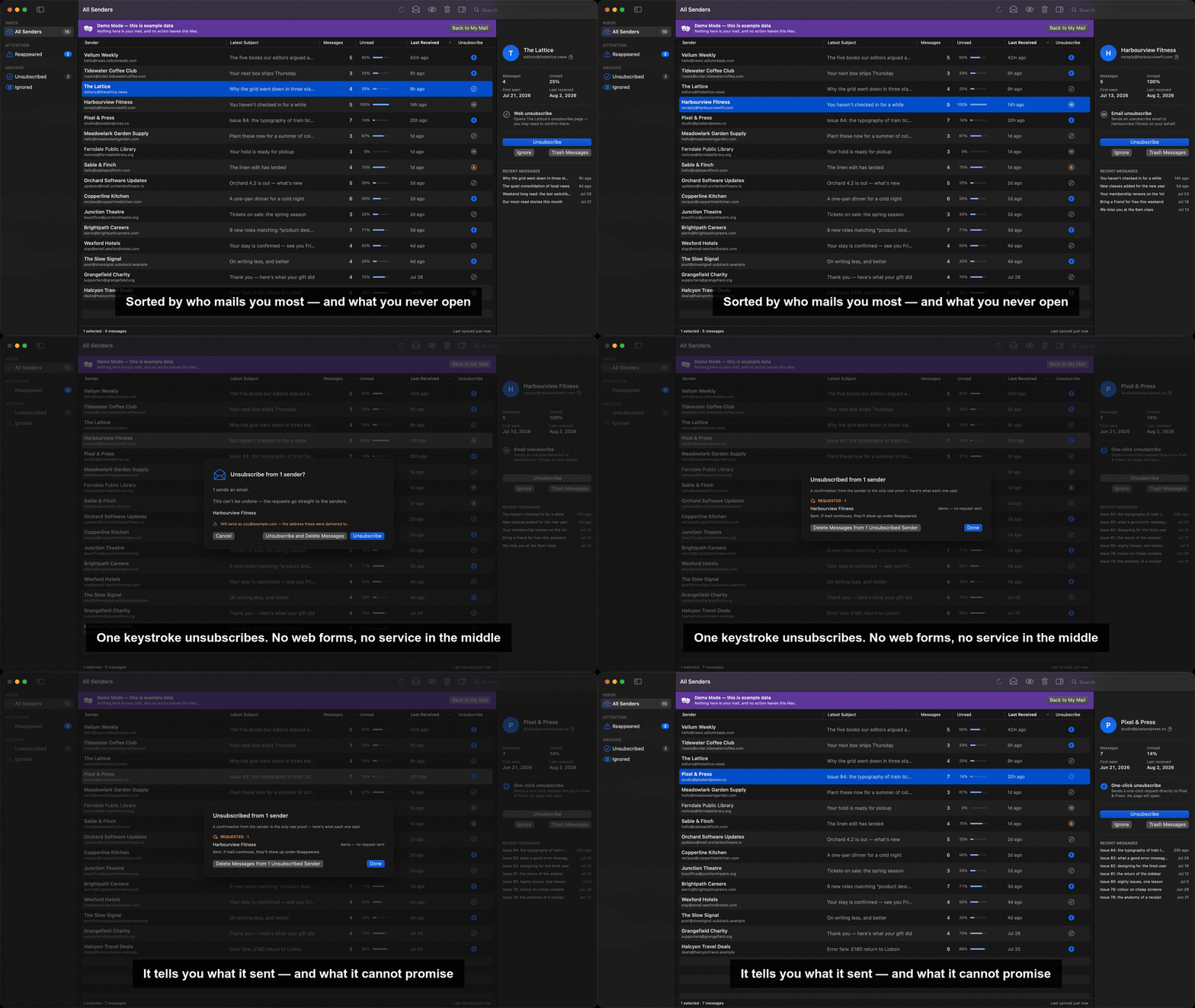
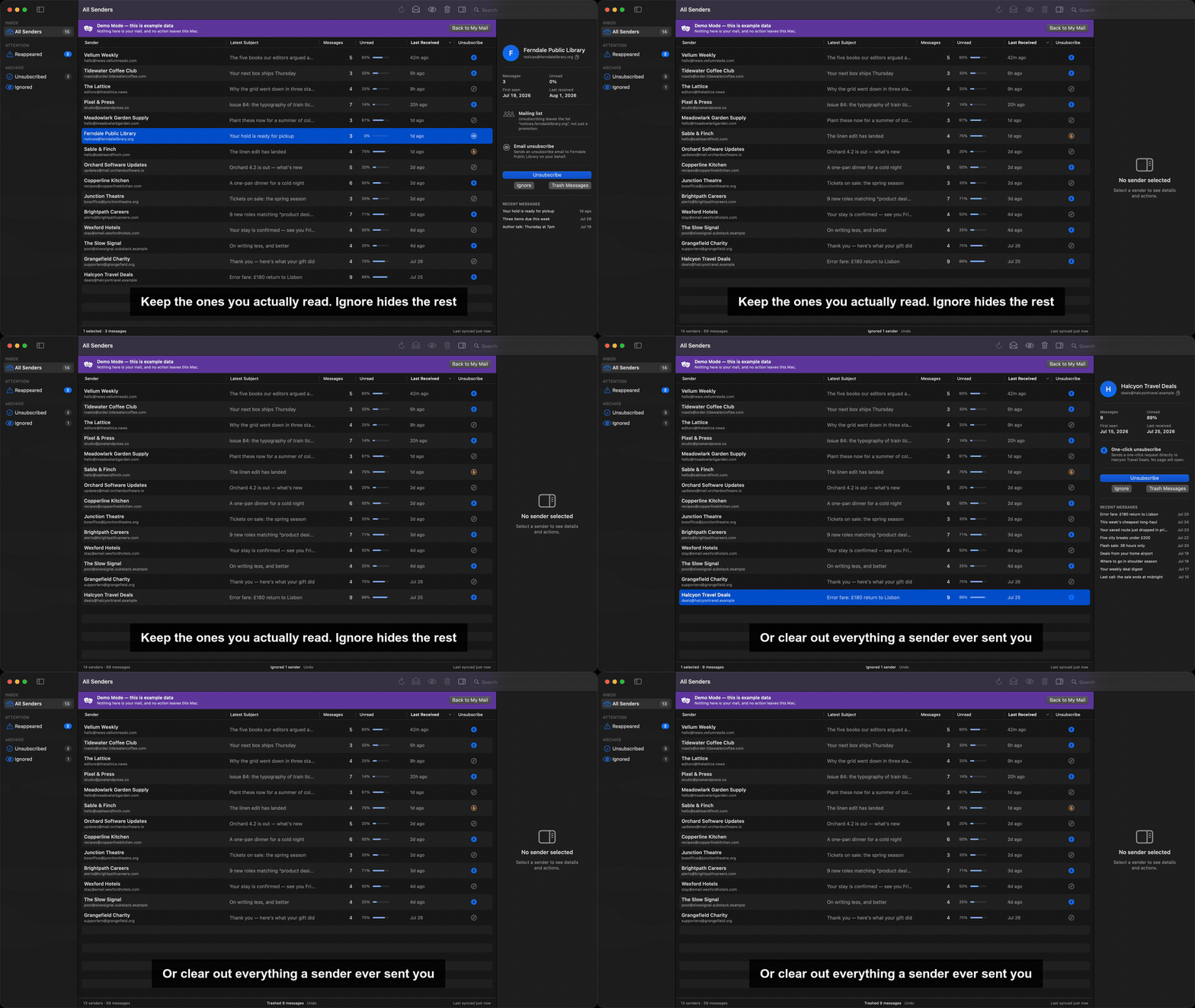
It catches the ones that come back
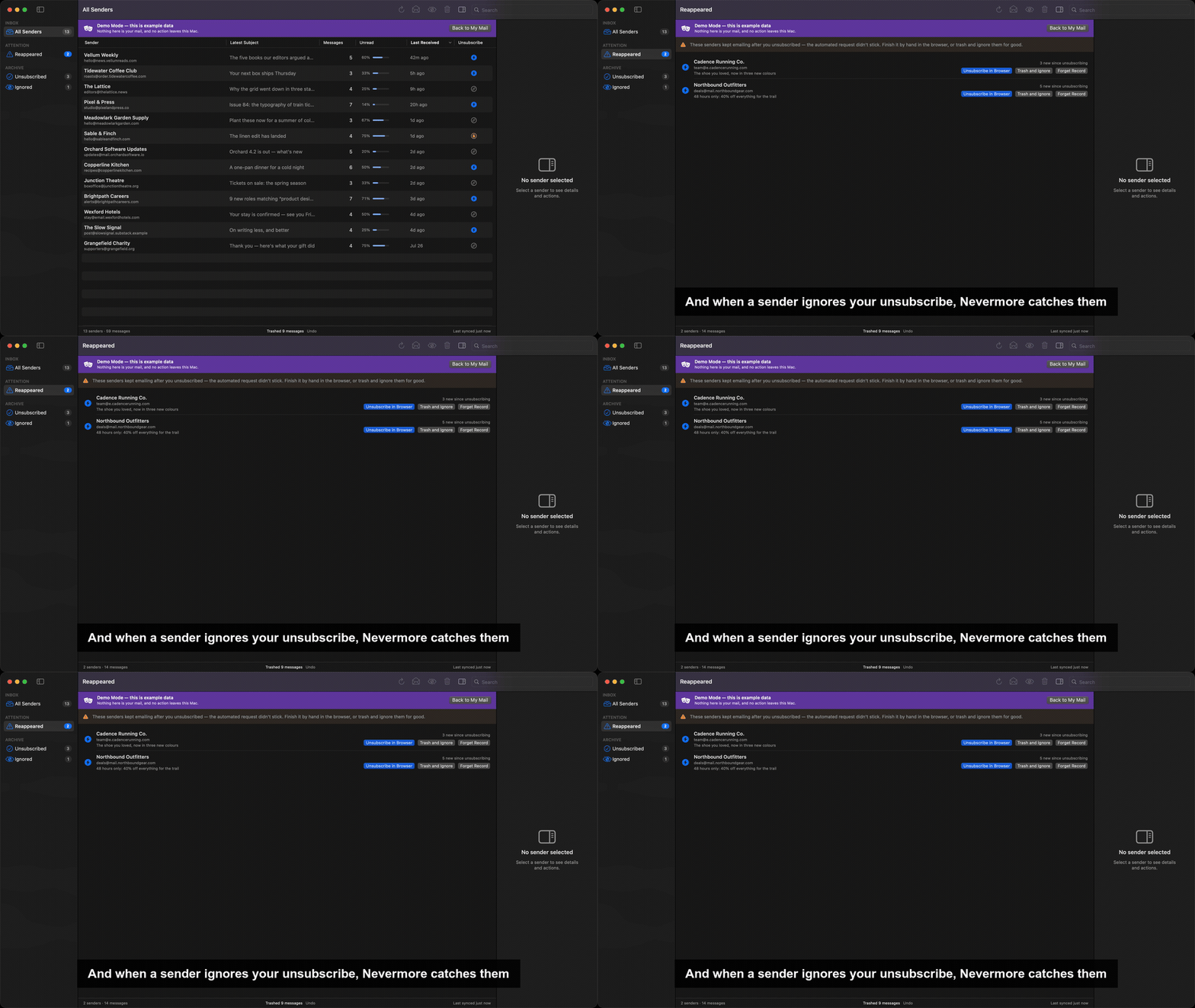
This is the part a web service can't do for you. An unsubscribe request is accepted, not honoured — plenty of senders confirm it and keep mailing. Every sender that mails you again after you unsubscribed shows up in Reappeared, with a count of what has arrived since. From there you can finish the job by hand in the built-in browser, or trash and ignore them for good.
Let an AI assistant do the sorting
Deciding which of four hundred senders you actually want is judgement, not filtering — a keyword rule cannot tell a newsletter you read from one you meant to. So Nevermore can be connected to an AI assistant you already use, which reads your senders, proposes a set worth dropping with a reason for each, and records what it decided so the next session does not start over. Optional, off by default, and direct-download only.
It cannot unsubscribe in bulk. Ever. There is no batch tool, no setting that enables one, and no token an assistant can present. A set of senders is unsubscribed only after you have reviewed that exact set in the app and confirmed it — and the confirmation is bound to those senders, single-use, and expires, so it cannot be turned on a set you never saw. The assistant proposes; you decide.
Turning it on sends sender names and subject lines to whichever model your assistant runs, which is usually someone else's computer. That is the one thing Nevermore does that is not local, it is off until you switch it on, and the privacy policy says so plainly.
Try it before you trust it
The first screen offers a demo: a full sample mailbox, no credentials, with every button live. It runs on a backend containing no network code at all, so nothing in demo mode can reach a server. Look around, then decide whether to hand the app a password.
What it won't find
Nevermore locates newsletters by the standard List-Unsubscribe
header. Nearly all legitimate bulk mail carries one — Gmail and Yahoo have
required it from bulk senders since 2024 — but a sender who buries their
unsubscribe link in the message body is invisible to it. Finding those would
mean reading your mail, which is exactly what this app doesn't do.
Flagged and starred messages are skipped on purpose, so your important mail is never in scope.
How it works
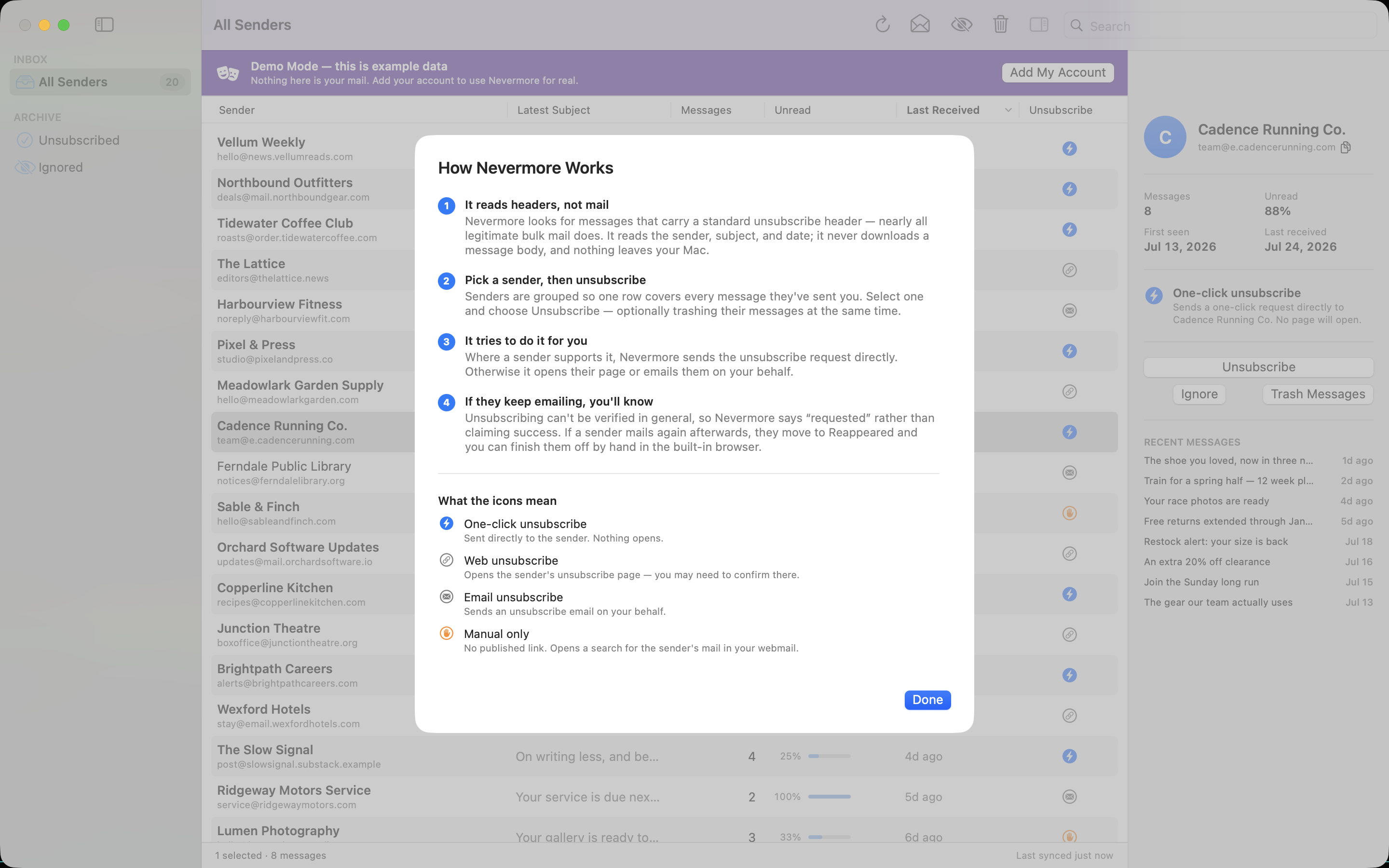
You sign in with an app-specific password over plain IMAP — no OAuth, no Google Cloud project, no consent screen. Creating one takes a couple of minutes, and where your provider keeps the setting is on the app passwords page: Gmail, iCloud, Yahoo, Fastmail, AOL, and custom domains. The password goes straight into the macOS Keychain, stored so it can't ride a backup to another machine. Nevermore then syncs message headers into a local SQLite file, groups senders by registrable domain, and sends unsubscribe requests directly to the endpoint each sender published.
Because those endpoints are written by strangers, every URL is checked before it's contacted: requests to private, loopback, and link-local addresses are refused, and redirects are re-validated at every hop.